
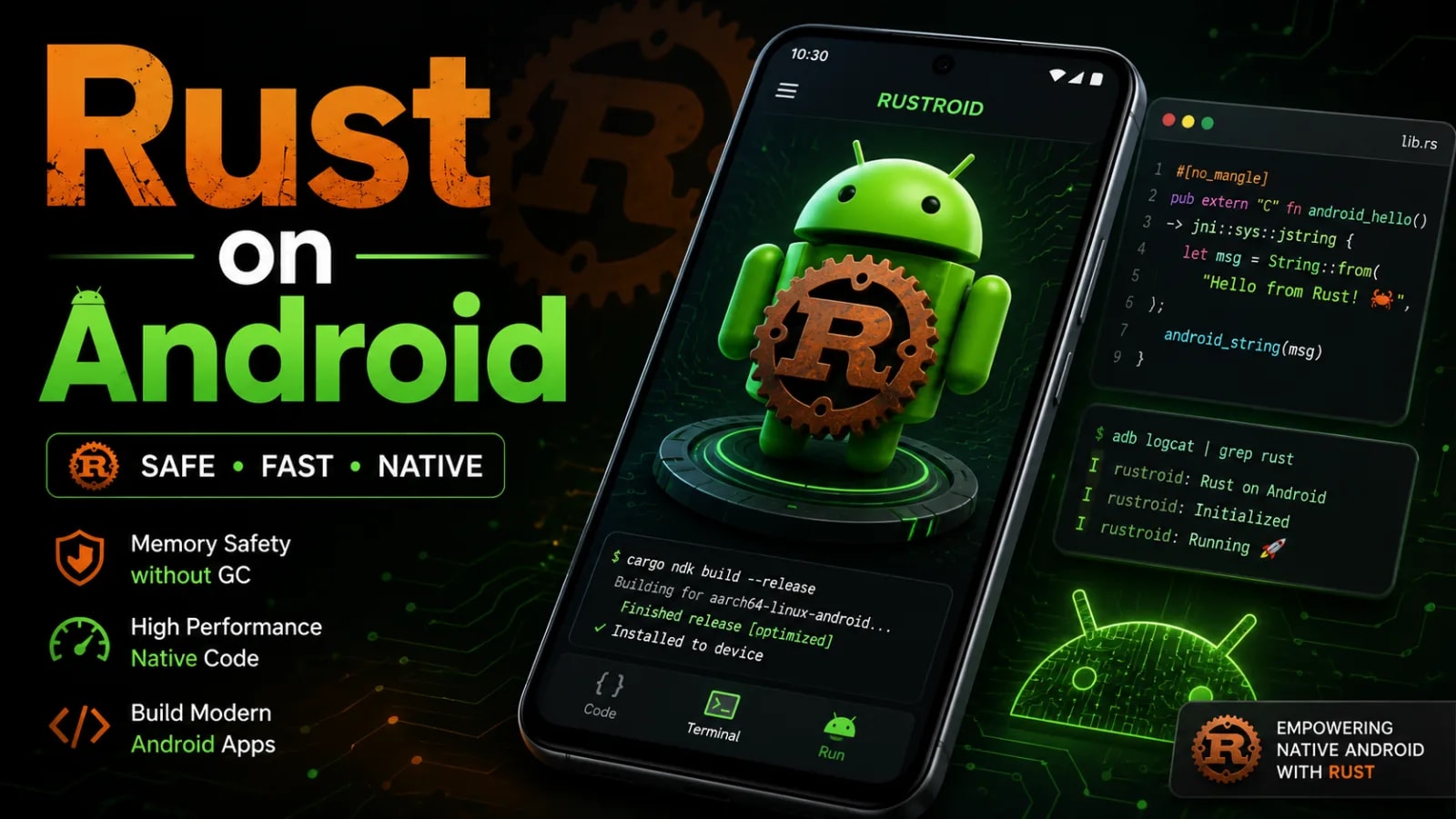
Google now runs roughly five million lines of Rust inside the Android platform. In all the years that code has been shipping, exactly one potential memory safety vulnerability has been found in it, and that one was fixed before it ever reached a release (Google, Rust in Android: move fast and fix things, 2025). Google’s own history with C and C++ runs closer to a thousand memory safety bugs per million lines.
This post is the practical half of that story for app developers: how to wire Rust into a normal Android app with cargo-ndk and JNI, how to debug it when it misbehaves, and how to decide whether it deserves a place in your stack at all. It’s the companion to my C++ on Android guide, because the two languages compete for the same slice of your app.
Key Takeaways
- In 2025, Google measured 0.2 memory safety vulnerabilities per million lines of Rust in Android, against roughly 1,000 for its C and C++ code (Google Security Blog, 2025).
- rustup targets, cargo-ndk and the jni crate (or UniFFI) put Rust in an ordinary APK today.
- Debugging reuses the C++ toolbox: logcat via android_logger, tombstones through ndk-stack, LLDB in Android Studio. The one Rust twist is that panics abort at the JNI boundary.
- Rust competes for the same narrow slice as C++: real-time audio, heavy compute, cross-platform cores. Kotlin stays the default for everything else.
This post is the hub of the Rust + NDK on Android series (a new part every Friday):
- The Complete Rust Toolchain Setup for Android: rustup, cargo-ndk, and Your First .so in an APK
- Calling Rust from Kotlin: JNI Basics for Android Developers
- UniFFI: Kotlin Bindings for Rust Without Writing JNI by Hand
- Project Structure: Gradle + Cargo in One Build, ABI Splits, Debug/Release Flavors
- Fast Image Processing on Android with Rust: Bitmaps, Filters, and the JNI Fast Path
- Passing Data Between Kotlin and Rust: Strings, Arrays, ByteBuffers, and Zero-Copy
- Memory Management Across JNI: Ownership, Box::into_raw, Global Refs, and Leaks
- Error Handling and Panics: Keeping Rust Crashes Out of Your Android App
- Threading and Async: Tokio, Kotlin Coroutines, and Calling Back Into Kotlin from Rust
- Low-Latency Audio DSP with Rust: AAudio and Oboe from a Rust Core
- Heavy Parsing with Serde: Offloading JSON and CSV Crunching to Rust
- Cryptography with Rust on Android: ring and RustCrypto Instead of Rolling Your Own
- Binary Size and the 16KB Page Requirement: Optimizing Rust .so Files for Release
- CI/CD for Rust + Android: GitHub Actions, Cross-Compilation Caching, Reproducible Builds
- Rust in Kotlin Multiplatform: One Native Core for Android and iOS, and When to Skip Rust Entirely
Platform Rust and app Rust
In the first three quarters of 2025, net new Rust code in the Android platform passed net new C++ for the first time (Google, Rust in Android: move fast and fix things, 2025). So when someone says “Rust on Android”, they can mean two quite different things: the Rust that Google ships inside the operating system, and the Rust you ship inside your own app.
Since around Android 12, new components such as Keystore2, the Ultra-wideband stack, DNS-over-HTTP/3 and the Android Virtualization Framework have been written in Rust, and AOSP documents Rust as a first-class platform language. In October 2025 the Rust rewrite of Binder, the IPC mechanism every Android app touches on every screen, was merged upstream into Linux kernel 6.18 (Rust for Linux, Android Binder Driver, 2025). By 2022 AOSP carried about 1.5 million lines of Rust; by late 2025 it was roughly 5 million (Google Security Blog, 2022 and 2025).
The app side is the part this post is about, and its architecture is identical to the C++ story. Your Rust compiles to a cdylib, a .so shared library per CPU architecture, packaged into the APK. Kotlin owns the UI, the lifecycle and the glue, and calls across the JNI border into your Rust core. If you’ve read my C++ on Android guide, the mental model transfers one to one.
Google has no first-party NDK toolchain support for Rust in apps. The NDK’s tech lead has kept that position on the open roadmap issue since 2022: it’s not planned, and the recommended path is getting the Rust toolchain from rustup. In practice that costs you very little, because the community toolchain is mature. The compiler is official, the linker comes from the NDK you already have, and cargo-ndk joins the two.
Why use Rust instead of C++ for the native layer?
In 2019, memory safety bugs were 76 percent of Android’s vulnerabilities. By 2022 they were down to 35 percent, the first year they were not the majority. In 2024 they hit 24 percent, against an industry norm of about 70 percent, and in 2025 they fell below 20 percent for the first time (Google Security Blog, 2022 to 2025). Google credits one policy: write new native code in memory safe languages, and let the old unsafe code age.
The surprise in the 2025 numbers is that safety didn’t come at the cost of speed. For medium and large changes, Rust changes in Android have a roughly four times lower rollback rate than C++ changes, they spend about 25 percent less time in code review, and similar-sized changes need about 20 percent fewer revisions (Google, Rust in Android: move fast and fix things, 2025).
Lars Bergstrom, a director of engineering on Android, put the broader claim on stage at Rust Nation UK in 2024: every time Google rewrote a C++ service in Rust, the effort to build and maintain it dropped by more than half (The Register, 2024). His talk, Beyond Safety and Speed: How Rust Fuels Team Productivity, is worth an hour of your time. Developers seem to agree with the data: in 2025, Rust was the most admired language in the Stack Overflow survey at 72.4 percent (Stack Overflow Developer Survey, 2025).
From experience: I came to Rust from C++ on Android, mostly through audio work like Klarinet. The bug I fear most on an audio thread is the data race that corrupts a buffer once a week on one device model. In C++ that class of bug lives in code review and in my head. In Rust the borrow checker turns it into a compile error, and an entire category of 2am crash reports stops existing before the app is even installed.
If your native layer exists to wrap FFmpeg, OpenCV or a vendor’s C++ SDK, writing the wrapper in C++ is still the path of least friction, and I say so in detail in the C++ guide. Rust’s advantage compounds when the native code is yours, the fresh DSP or engine core you’ll still be maintaining in five years.
How do you add Rust to an Android app?
You need four pieces: a Rust toolchain with Android targets, the NDK for its linker and sysroot, cargo-ndk to glue them together, and a JNI bridge on both sides. Rust treats Android as a Tier 2 platform with six supported targets and tracks the latest LTS NDK, which is r27d as of mid-2026 (rustc book; Android Developers). Since NDK r26 the floor is API level 21, so Rust runs on effectively every device you still support.

Install the targets you ship, plus cargo-ndk, which points cargo at the right NDK linker per architecture:
rustup target add aarch64-linux-android armv7-linux-androideabi x86_64-linux-android
cargo install cargo-ndk
Create a library crate that builds a shared library, with the jni crate for the bridge:
[package]
name = "rustcore"
version = "0.1.0"
edition = "2021"

[lib]
crate-type = ["cdylib"]

[dependencies]
jni = "0.21"
I’m pinning jni 0.21 on purpose. The 0.22 release shipped a redesigned entry-point API built around EnvUnowned and closures instead of a bare JNIEnv, and almost every example, answer and production codebase you’ll meet is still written in the 0.21 style below. Both are current; don’t mix them in one crate.
JNI resolves the exported function name by pattern, Java_ plus the package, class and method with underscores, so the Rust side of a greet method on com.davthecoder.rustdemo.RustBridge looks like this:
use jni::objects::{JObject, JString};
use jni::sys::jstring;
use jni::JNIEnv;

#[no_mangle]
pub extern "system" fn Java_com_davthecoder_rustdemo_RustBridge_greet<'local>(
    mut env: JNIEnv<'local>,
    _this: JObject<'local>,
    name: JString<'local>,
) -> jstring {
    let name: String = env
        .get_string(&name)
        .map(Into::into)
        .unwrap_or_default();
    let reply = format!("Hello from Rust, {name}");
    env.new_string(reply)
        .expect("valid UTF-8")
        .into_raw()
}
The Kotlin side is a plain external declaration and a library load:
object RustBridge {
    init {
        System.loadLibrary("rustcore")
    }

    external fun greet(name: String): String
}
One command builds every architecture and drops the .so files where the Android Gradle Plugin already looks:
cargo ndk -t arm64-v8a -t armeabi-v7a -t x86_64 \
  -o app/src/main/jniLibs build --release
Run that before Gradle packages the APK, either by hand while you iterate or as a Gradle exec task in CI. Mozilla also maintains a rust-android-gradle plugin if you prefer the build wired into Gradle itself, though it moves slower than cargo-ndk these days. And if your team is coming from Kotlin or C++, Google’s own training course for its Android engineers, Comprehensive Rust, is free; there is a good talk on how they run it, Rust Training at Scale.
Skip the hand-written JNI with UniFFI
UniFFI is the way out of JNI boilerplate. Mozilla’s binding generator reached version 0.32 in June 2026 and generates the Kotlin for you from annotated Rust, including data classes, enums, interfaces and typed errors (mozilla/uniffi-rs). Mozilla uses it across Firefox for Android and iOS, and Element X, the current Matrix client, ships its entire engine, the 99.9 percent Rust matrix-rust-sdk, through UniFFI-generated Kotlin and Swift bindings.
Instead of hand-matching mangled function names, you annotate the Rust and let the generator do the border paperwork:
#[derive(uniffi::Record)]
pub struct Totals {
    pub count: u32,
    pub cents: i64,
}

#[uniffi::export]
pub fn summarise(amounts: Vec<i64>) -> Totals {
    Totals {
        count: amounts.len() as u32,
        cents: amounts.iter().sum(),
    }
}

uniffi::setup_scaffolding!();
The generated Kotlin gives you summarise(listOf(1200L, 350L)) returning a real data class, with strings, collections and errors marshalled for you. For any API surface bigger than a handful of functions, this is the difference between a weekend and a month.
A Rust core under a native UI shows up in more shipping apps than you’d think. I only kept apps I could verify against a primary source: each name below links to Google Play, each description to the engineering source that documents the Rust.
| App | What’s written in Rust |
|---|---|
| Signal | The Signal Protocol core, libsignal, reaching Kotlin over JNI |
| Element X | The entire Matrix engine, matrix-rust-sdk |
| Wire | MLS and Proteus encryption via core-crypto and UniFFI |
| Threema | The libthreema protocol library |
| Delta Chat | Networking and encryption in the chatmail core |
| 1Password | The shared 1Password Core, written primarily in Rust |
| Bitwarden | Vault crypto and client logic via a UniFFI Rust SDK |
| Proton Pass | The shared password and TOTP core, proton-pass-common |
| 1.1.1.1 + WARP | The WireGuard tunnel itself, BoringTun |
| Mullvad VPN | The same Rust daemon that powers its desktop apps |
| ExpressVPN | The Lightway protocol, rewritten from C in Rust in 2025 |
| NymVPN | The whole VPN engine, nym-vpn-core |
| Firefox | Accounts, sync and logins via application-services |
| Brave | The default adblock engine |
| Google Chrome | Font rendering, the Fontations stack, for all web fonts since Chrome 133 |
| Tuta Mail | The tuta-sdk encryption core |
| Bitkey | Bitcoin and key management, Rust inside a Kotlin Multiplatform app |
| Zodl | Shielded-transaction logic via the Zcash Android SDK |
| AppFlowy | The data and persistence layer under a Flutter UI, per their tech design |
That table has a theme: messengers, password managers, VPNs, wallets. When cryptographic correctness is the product, the case for a memory safe core writes itself. And Typeshare, 1Password’s own tool, is worth a look even if you never touch their app: it generates matching Kotlin, Swift and TypeScript types from annotated Rust, and it’s open source.
Stuart Harris’s talk on sharing a single Rust core across iOS, Android and web is a good tour of the architecture behind most of these. It slots naturally under a Kotlin Multiplatform app too: KMP owns the business logic, Rust owns the native core, the same layering I describe in my KMP clean architecture blueprint, and the same shape Block ships in Bitkey.
How do you debug Rust on Android?
Mostly with the same toolbox as C++, plus one Rust-specific rule you need to know up front. Since Rust 1.81 in September 2024, a panic that unwinds out of a non-unwinding ABI, which includes the extern "system" functions JNI calls, aborts the process instead of being undefined behaviour (Rust Blog, Announcing Rust 1.81.0, 2024). On Android that means an unhandled panic inside a JNI call kills your app as a native crash. So the debugging story starts with making panics visible before they take the process down.
Get logs and panics into logcat
The android_logger crate, at 0.15 as of 2025, routes the standard log macros to logcat, and a panic hook makes every panic log its message and location before the abort:
use android_logger::Config;
use log::LevelFilter;

pub fn init_diagnostics() {
    android_logger::init_once(
        Config::default()
            .with_max_level(LevelFilter::Debug)
            .with_tag("rustcore"),
    );
    std::panic::set_hook(Box::new(|info| {
        log::error!("rust panic: {info}");
    }));
    log::info!("rustcore diagnostics up");
}
Call it once from a JNI init function when the library loads, then watch it with adb logcat -s rustcore. For boundaries that must never crash the app, wrap the body in std::panic::catch_unwind and translate the panic into an error return or a thrown Kotlin exception instead.

Read the native crash like a C++ one
When the process does die, Android writes a tombstone, and ndk-stack turns its raw addresses back into file and line numbers using your unstripped libraries:
adb logcat | $ANDROID_NDK_HOME/ndk-stack \
  -sym target/aarch64-linux-android/release
One catch: since Rust 1.77, Cargo strips debug info from release builds by default, and ndk-stack needs it. Set debug = true and strip = "none" under [profile.release] in Cargo.toml, keep the fat .so cargo produces for symbolication, and let APK packaging strip the copy you actually ship. A production crash then symbolicates down to the exact .rs line.
Breakpoints and profiling in Android Studio
Android Studio debugs Rust the way it debugs C++: it attaches LLDB for native code alongside the JVM debugger, with four debug types (Detect Automatically, Java Only, Native Only and Dual). With native code in the project, automatic detection attaches both debuggers, so you can step from a Kotlin call site into the Rust implementation in one session. Rust compiles to the same DWARF debug format as C++, so breakpoints, watch expressions and stack traces work without ceremony. Profiling is the same story: Simpleperf, the NDK’s CPU profiler, and the Android Studio profiler that fronts it see your Rust .so as ordinary native code.
What I actually do: I keep the crate pure Rust with a thin JNI or UniFFI skin, and debug almost everything with
cargo teston my laptop. The core never touches an emulator until the logic is proven, and once it is, nearly every remaining bug lives in the thin bridge layer: a wrong signature, a lifetime crossing the boundary, a thread without a JNIEnv. Structure the code so the device is only ever debugging the border.
When should you say no to Rust on Android?
Google found about a third of C++ developers feel as productive in Rust within two months, and about half within four (The Register, 2024). That’s a real cost for a small team, and it buys nothing if you didn’t need native code in the first place.
The decision rule from the C++ post transfers unchanged: most apps need zero native code, and you go native only after profiling shows the JVM itself is the wall. Past that gate, the choice usually falls out of a short table:
| Your situation | Reach for |
|---|---|
| Wrapping FFmpeg, OpenCV or a vendor C++ SDK | C++ |
| New DSP, engine or core you’ll own for years | Rust |
| Sharing business logic across Android and iOS | Kotlin Multiplatform |
| No profiled bottleneck, no native experience on the team | Kotlin, and stop there |
| Fresh real-time audio or render path | Rust first, C++ if an existing ecosystem pulls you |
If your goal is sharing business logic across platforms, Kotlin Multiplatform remains the right default, and Rust sits underneath it for the genuinely native slice. And if your native layer is mostly a window onto an existing C++ ecosystem, staying in C++ avoids a bilingual FFI sandwich that nobody wants to maintain.
What’s changed is the default for new native code. Five years ago, choosing Rust for an Android audio engine or crypto core was a bet on tooling that might mature. In 2026, with Google landing more new platform code in Rust than C++ and the app-side toolchain stable, writing fresh native code in C++ is the choice that needs defending.
If you’re weighing this call for a real codebase, an audio pipeline, say, or a core you want to share with iOS, it’s the kind of decision I help teams make in architecture reviews and mentoring, and the kind of native work I take on as an independent engineer.
Use Kotlin until profiling proves you need native code, same as before. What’s changed is what you write on the day that proof arrives. My default for new native code on Android is now Rust. The C++ I still write is there to talk to C++ that already exists.
Frequently Asked Questions
Can I use Rust together with Kotlin Multiplatform? Yes. KMP shares your Kotlin business logic, while the Rust core builds as a cdylib for Android and a static library for iOS. Element X ships this shape at scale, driving both apps from the matrix-rust-sdk through UniFFI-generated Kotlin and Swift bindings.
Sources
- Google Security Blog, “Memory Safe Languages in Android 13”, retrieved 2026-07-19, https://security.googleblog.com/2022/12/memory-safe-languages-in-android-13.html
- Google Security Blog, “Eliminating Memory Safety Vulnerabilities at the Source”, retrieved 2026-07-19, https://security.googleblog.com/2024/09/eliminating-memory-safety-vulnerabilities-Android.html
- Google, “Rust in Android: move fast and fix things”, retrieved 2026-07-19, https://blog.google/security/rust-in-android-move-fast-fix-things/
- Android Open Source Project, “Android Rust introduction”, retrieved 2026-07-19, https://source.android.com/docs/setup/build/rust/building-rust-modules/overview
- Rust for Linux, “Android Binder Driver”, retrieved 2026-07-19, https://rust-for-linux.com/android-binder-driver
- The Register, “Rust developers at Google twice as productive as C++ teams”, retrieved 2026-07-19, https://www.theregister.com/2024/03/31/rust_google_c/
- Stack Overflow, “2025 Developer Survey: Technology, Admired and Desired”, retrieved 2026-07-19, https://survey.stackoverflow.co/2025/technology
- Rust Blog, “Announcing Rust 1.81.0”, retrieved 2026-07-19, https://blog.rust-lang.org/2024/09/05/Rust-1.81.0/
- The rustc book, “Android platform support”, retrieved 2026-07-19, https://doc.rust-lang.org/rustc/platform-support/android.html
- Android Developers, “NDK Downloads”, retrieved 2026-07-19, https://developer.android.com/ndk/downloads
- Android Developers, “Debug your app”, retrieved 2026-07-19, https://developer.android.com/studio/debug
- Android Developers, “ndk-stack”, retrieved 2026-07-19, https://developer.android.com/ndk/guides/ndk-stack
- Android Developers, “Simpleperf”, retrieved 2026-07-19, https://developer.android.com/ndk/guides/simpleperf
- Android NDK team, “Roadmap for supporting Rust in apps” (issue #1742), retrieved 2026-07-19, https://github.com/android/ndk/issues/1742
- crates.io, cargo-ndk, jni, android_logger, retrieved 2026-07-19, https://crates.io/crates/cargo-ndk
- Mozilla, uniffi-rs, retrieved 2026-07-19, https://github.com/mozilla/uniffi-rs
- Mozilla, rust-android-gradle, retrieved 2026-07-19, https://github.com/mozilla/rust-android-gradle
- Signal, libsignal, retrieved 2026-07-19, https://github.com/signalapp/libsignal
- Mozilla, application-services, retrieved 2026-07-19, https://github.com/mozilla/application-services
- Cloudflare, boringtun, retrieved 2026-07-19, https://github.com/cloudflare/boringtun
- Matrix.org Foundation, matrix-rust-sdk, retrieved 2026-07-19, https://github.com/matrix-org/matrix-rust-sdk
- 1Password, “Typeshare: a first-party tool for generating types across languages”, retrieved 2026-07-19, https://blog.1password.com/typeshare-for-rust/
- 1Password, “1Password 8 for Android is now in Early Access!”, retrieved 2026-07-19, https://1password.com/blog/1password-8-android-early-access
- Wire, core-crypto, retrieved 2026-07-19, https://github.com/wireapp/core-crypto
- Threema, threema-android (libthreema), retrieved 2026-07-19, https://github.com/threema-ch/threema-android
- Delta Chat, chatmail core, retrieved 2026-07-19, https://github.com/chatmail/core
- Bitwarden, sdk-internal, retrieved 2026-07-19, https://github.com/bitwarden/sdk-internal
- Proton, proton-pass-common, retrieved 2026-07-19, https://github.com/protonpass/proton-pass-common
- Mullvad, mullvadvpn-app, retrieved 2026-07-19, https://github.com/mullvad/mullvadvpn-app
- ExpressVPN, “ExpressVPN releases Lightway in Rust”, retrieved 2026-07-19, https://www.expressvpn.com/blog/expressvpn-releases-lightway-in-rust/
- Nym Technologies, nym-vpn-client, retrieved 2026-07-19, https://github.com/nymtech/nym-vpn-client
- Brave, “Brave overhauls adblock engine, cutting its memory consumption by 75%”, retrieved 2026-07-19, https://brave.com/privacy-updates/36-adblock-memory-reduction/
- Google, “Memory safety for web fonts” (Chrome for Developers), retrieved 2026-07-19, https://developer.chrome.com/blog/memory-safety-fonts
- Tutao, tuta-sdk (Building for Android), retrieved 2026-07-19, https://github.com/tutao/tutanota/blob/master/tuta-sdk/rust/README.md
- Block, “How Bitkey Uses Cross-Platform Development”, retrieved 2026-07-19, https://engineering.block.xyz/blog/how-bitkey-uses-cross-platform-development
- Electric Coin Company, Zcash Android SDK Architecture, retrieved 2026-07-19, https://github.com/Electric-Coin-Company/zcash-android-wallet-sdk/blob/main/docs/Architecture.md
- AppFlowy, “How we built AppFlowy with Flutter and Rust”, retrieved 2026-07-19, https://appflowy.com/blog/tech-design-flutter-rust
Google ya ejecuta unas cinco millones de líneas de Rust dentro de la plataforma Android. En todos los años que ese código lleva publicándose, se ha encontrado exactamente una posible vulnerabilidad de seguridad de memoria, y esa se corrigió antes de llegar a una release (Google, Rust in Android: move fast and fix things, 2025). La propia historia de Google con C y C++ anda más cerca de mil bugs de seguridad de memoria por millón de líneas.
Este artículo es la mitad práctica de esa historia para quien desarrolla apps: cómo enganchar Rust a una app de Android normal con cargo-ndk y JNI, cómo depurarlo cuando se porta mal, y cómo decidir si merece un sitio en tu pila. Es el compañero de mi guía de C++ en Android, porque los dos lenguajes compiten por la misma rebanada de tu app.
Ideas clave
- En 2025, Google midió 0,2 vulnerabilidades de seguridad de memoria por millón de líneas de Rust en Android, frente a unas 1.000 en su código de C y C++ (Google Security Blog, 2025).
- Los targets de rustup, cargo-ndk y el crate jni (o UniFFI) meten Rust en un APK normal hoy mismo.
- La depuración reutiliza la caja de herramientas de C++: logcat mediante android_logger, tombstones a través de ndk-stack, LLDB en Android Studio. El giro propio de Rust es que los panics abortan en la frontera JNI.
- Rust compite por la misma rebanada estrecha que C++: audio en tiempo real, cómputo pesado, núcleos multiplataforma. Kotlin sigue siendo el valor por defecto para todo lo demás.
This post is the hub of the Rust + NDK on Android series (a new part every Friday):
- The Complete Rust Toolchain Setup for Android: rustup, cargo-ndk, and Your First .so in an APK
- Calling Rust from Kotlin: JNI Basics for Android Developers
- UniFFI: Kotlin Bindings for Rust Without Writing JNI by Hand
- Project Structure: Gradle + Cargo in One Build, ABI Splits, Debug/Release Flavors
- Fast Image Processing on Android with Rust: Bitmaps, Filters, and the JNI Fast Path
- Passing Data Between Kotlin and Rust: Strings, Arrays, ByteBuffers, and Zero-Copy
- Memory Management Across JNI: Ownership, Box::into_raw, Global Refs, and Leaks
- Error Handling and Panics: Keeping Rust Crashes Out of Your Android App
- Threading and Async: Tokio, Kotlin Coroutines, and Calling Back Into Kotlin from Rust
- Low-Latency Audio DSP with Rust: AAudio and Oboe from a Rust Core
- Heavy Parsing with Serde: Offloading JSON and CSV Crunching to Rust
- Cryptography with Rust on Android: ring and RustCrypto Instead of Rolling Your Own
- Binary Size and the 16KB Page Requirement: Optimizing Rust .so Files for Release
- CI/CD for Rust + Android: GitHub Actions, Cross-Compilation Caching, Reproducible Builds
- Rust in Kotlin Multiplatform: One Native Core for Android and iOS, and When to Skip Rust Entirely
Rust de plataforma y Rust de app
En los tres primeros trimestres de 2025, el código Rust nuevo neto en la plataforma Android superó al C++ nuevo neto por primera vez (Google, Rust in Android: move fast and fix things, 2025). Así que cuando alguien dice «Rust en Android» puede querer decir dos cosas bastante distintas: el Rust que Google publica dentro del sistema operativo, y el Rust que publicas tú dentro de tu propia app.
Desde alrededor de Android 12, componentes nuevos como Keystore2, la pila Ultra-wideband, DNS-over-HTTP/3 y el Android Virtualization Framework se han escrito en Rust, y AOSP documenta Rust como lenguaje de primera clase de la plataforma. En octubre de 2025 la reescritura en Rust de Binder, el mecanismo de IPC que toca cada app de Android en cada pantalla, se integró upstream en el kernel de Linux 6.18 (Rust for Linux, Android Binder Driver, 2025). En 2022 AOSP llevaba unas 1,5 millones de líneas de Rust; a finales de 2025 eran unas 5 millones (Google Security Blog, 2022 y 2025).
El lado de la app es de lo que va este artículo, y su arquitectura es idéntica a la historia de C++. Tu Rust se compila a un cdylib, una biblioteca compartida .so por arquitectura de CPU, empaquetada en el APK. Kotlin lleva la UI, el ciclo de vida y el pegamento, y llama al otro lado de la frontera JNI, hacia tu núcleo de Rust. Si has leído mi guía de C++ en Android, el modelo mental se traslada uno a uno.
Google no tiene soporte de cadena de herramientas del NDK de primera parte para Rust en apps. El responsable técnico del NDK mantiene esa postura en el issue abierto de la hoja de ruta desde 2022: no está previsto, y la vía recomendada es conseguir la cadena de herramientas de Rust desde rustup. En la práctica eso te cuesta muy poco, porque la cadena de la comunidad está madura. El compilador es el oficial, el enlazador sale del NDK que ya tienes, y cargo-ndk une las dos cosas.
¿Por qué usar Rust en lugar de C++ para la capa nativa?
En 2019, los bugs de seguridad de memoria eran el 76 por ciento de las vulnerabilidades de Android. En 2022 habían bajado al 35 por ciento, el primer año en que no fueron la mayoría. En 2024 llegaron al 24 por ciento, frente a una norma del sector de cerca del 70 por ciento, y en 2025 cayeron por debajo del 20 por ciento por primera vez (Google Security Blog, de 2022 a 2025). Google atribuye el mérito a una política: escribir el código nativo nuevo en lenguajes con seguridad de memoria, y dejar que el código inseguro viejo envejezca.
La sorpresa de las cifras de 2025 es que la seguridad no llegó a costa de la velocidad. En cambios medianos y grandes, los cambios en Rust dentro de Android tienen una tasa de rollback unas cuatro veces menor que los de C++, pasan cerca de un 25 por ciento menos de tiempo en revisión de código, y los cambios de tamaño parecido necesitan cerca de un 20 por ciento menos de revisiones (Google, Rust in Android: move fast and fix things, 2025).
Lars Bergstrom, director de ingeniería en Android, puso la afirmación más amplia sobre el escenario en Rust Nation UK en 2024: cada vez que Google reescribió un servicio de C++ en Rust, el esfuerzo de construirlo y mantenerlo cayó más de la mitad (The Register, 2024). Su charla, Beyond Safety and Speed: How Rust Fuels Team Productivity, merece una hora de tu tiempo. Quien desarrolla parece estar de acuerdo con los datos: en 2025, Rust fue el lenguaje más admirado de la encuesta de Stack Overflow, con un 72,4 por ciento (Stack Overflow Developer Survey, 2025).
Desde la experiencia: Llegué a Rust desde C++ en Android, sobre todo por trabajo de audio como Klarinet. El bug que más temo en un hilo de audio es la condición de carrera que corrompe un búfer una vez por semana en un modelo de dispositivo. En C++ esa clase de bug vive en la revisión de código y en mi cabeza. En Rust el borrow checker la convierte en un error de compilación, y toda una categoría de informes de crash a las 2 de la madrugada deja de existir antes incluso de instalar la app.
Si tu capa nativa existe para envolver FFmpeg, OpenCV o el SDK de C++ de un proveedor, escribir el wrapper en C++ sigue siendo el camino de menor fricción, y lo digo con detalle en la guía de C++. La ventaja de Rust se acumula cuando el código nativo es tuyo, el DSP nuevo o el núcleo del motor que seguirás manteniendo dentro de cinco años.
¿Cómo añades Rust a una app de Android?
Necesitas cuatro piezas: una cadena de herramientas de Rust con targets de Android, el NDK por su enlazador y su sysroot, cargo-ndk para pegarlos, y un puente JNI en los dos lados. Rust trata Android como plataforma de Tier 2 con seis targets soportados y sigue el último NDK LTS, que es r27d a mediados de 2026 (rustc book; Android Developers). Desde el NDK r26 el suelo es el nivel de API 21, así que Rust corre en prácticamente todos los dispositivos que todavía soportas.
Instala los targets que publicas, más cargo-ndk, que apunta cargo al enlazador correcto del NDK por arquitectura:
rustup target add aarch64-linux-android armv7-linux-androideabi x86_64-linux-android
cargo install cargo-ndk
Crea un crate de biblioteca que construya una biblioteca compartida, con el crate jni para el puente:
[package]
name = "rustcore"
version = "0.1.0"
edition = "2021"

[lib]
crate-type = ["cdylib"]

[dependencies]
jni = "0.21"
Fijo jni 0.21 a propósito. La release 0.22 trajo una API de punto de entrada rediseñada, construida alrededor de EnvUnowned y de closures en lugar de un JNIEnv a pelo, y casi todos los ejemplos, respuestas y codebases de producción con los que te vas a cruzar siguen escritos en el estilo 0.21 de abajo. Las dos están vigentes; no las mezcles en un mismo crate.
JNI resuelve el nombre de la función exportada por patrón, Java_ más el paquete, la clase y el método con guiones bajos, así que el lado Rust de un método greet en com.davthecoder.rustdemo.RustBridge tiene esta pinta:
use jni::objects::{JObject, JString};
use jni::sys::jstring;
use jni::JNIEnv;

#[no_mangle]
pub extern "system" fn Java_com_davthecoder_rustdemo_RustBridge_greet<'local>(
    mut env: JNIEnv<'local>,
    _this: JObject<'local>,
    name: JString<'local>,
) -> jstring {
    let name: String = env
        .get_string(&name)
        .map(Into::into)
        .unwrap_or_default();
    let reply = format!("Hello from Rust, {name}");
    env.new_string(reply)
        .expect("valid UTF-8")
        .into_raw()
}
El lado Kotlin es una declaración external a secas y una carga de biblioteca:
object RustBridge {
    init {
        System.loadLibrary("rustcore")
    }

    external fun greet(name: String): String
}
Un comando compila cada arquitectura y deja los ficheros .so donde el Android Gradle Plugin ya mira:
cargo ndk -t arm64-v8a -t armeabi-v7a -t x86_64 \
  -o app/src/main/jniLibs build --release
Lánzalo antes de que Gradle empaquete el APK, a mano mientras iteras o como una tarea exec de Gradle en la CI. Mozilla también mantiene un plugin rust-android-gradle si prefieres el build enganchado al propio Gradle, aunque últimamente se mueve más despacio que cargo-ndk. Y si tu equipo viene de Kotlin o de C++, el curso de formación que Google da a su propia ingeniería de Android, Comprehensive Rust, es gratis; hay una buena charla sobre cómo lo imparten, Rust Training at Scale.
Sáltate el JNI escrito a mano con UniFFI
UniFFI es la salida del papeleo de JNI. El generador de bindings de Mozilla llegó a la versión 0.32 en junio de 2026 y genera el Kotlin por ti a partir de Rust anotado, incluidas data classes, enums, interfaces y errores tipados (mozilla/uniffi-rs). Mozilla lo usa en Firefox para Android e iOS, y Element X, el cliente actual de Matrix, publica todo su motor, el matrix-rust-sdk que es Rust al 99,9 por ciento, a través de bindings de Kotlin y Swift generados por UniFFI.
En lugar de casar a mano nombres de función con mangling, anotas el Rust y dejas que el generador haga el papeleo de la frontera:
#[derive(uniffi::Record)]
pub struct Totals {
    pub count: u32,
    pub cents: i64,
}

#[uniffi::export]
pub fn summarise(amounts: Vec<i64>) -> Totals {
    Totals {
        count: amounts.len() as u32,
        cents: amounts.iter().sum(),
    }
}

uniffi::setup_scaffolding!();
El Kotlin generado te da summarise(listOf(1200L, 350L)) devolviendo una data class de verdad, con cadenas, colecciones y errores serializados por ti. Para cualquier superficie de API mayor que un puñado de funciones, esto es la diferencia entre un fin de semana y un mes.
Un núcleo de Rust bajo una UI nativa aparece en más apps publicadas de las que pensarías. Solo me quedé con apps que pude verificar contra una fuente primaria: cada nombre de abajo enlaza a Google Play, y cada descripción a la fuente de ingeniería que documenta el Rust.
| App | Qué está escrito en Rust |
|---|---|
| Signal | El núcleo del protocolo Signal, libsignal, que llega a Kotlin por JNI |
| Element X | Todo el motor de Matrix, matrix-rust-sdk |
| Wire | Cifrado MLS y Proteus mediante core-crypto y UniFFI |
| Threema | La biblioteca de protocolo libthreema |
| Delta Chat | Red y cifrado en el chatmail core |
| 1Password | El 1Password Core compartido, escrito sobre todo en Rust |
| Bitwarden | Cripto de la caja fuerte y lógica de cliente mediante un SDK de Rust con UniFFI |
| Proton Pass | El núcleo compartido de contraseñas y TOTP, proton-pass-common |
| 1.1.1.1 + WARP | El propio túnel WireGuard, BoringTun |
| Mullvad VPN | El mismo demonio en Rust que mueve sus apps de escritorio |
| ExpressVPN | El protocolo Lightway, reescrito de C a Rust en 2025 |
| NymVPN | Todo el motor de la VPN, nym-vpn-core |
| Firefox | Cuentas, sincronización e inicios de sesión mediante application-services |
| Brave | El motor de bloqueo de anuncios por defecto |
| Google Chrome | El renderizado de fuentes, la pila Fontations, para todas las fuentes web desde Chrome 133 |
| Tuta Mail | El núcleo de cifrado tuta-sdk |
| Bitkey | Bitcoin y gestión de claves, Rust dentro de una app de Kotlin Multiplatform |
| Zodl | Lógica de transacciones blindadas mediante el SDK de Zcash para Android |
| AppFlowy | La capa de datos y persistencia bajo una UI de Flutter, según su diseño técnico |
Esa tabla tiene un tema: mensajería, gestores de contraseñas, VPN y monederos. Cuando la corrección criptográfica es el producto, el argumento a favor de un núcleo con seguridad de memoria se escribe solo. Y Typeshare, la propia herramienta de 1Password, merece una mirada aunque no toques nunca su app: genera tipos coincidentes de Kotlin, Swift y TypeScript a partir de Rust anotado, y es de código abierto.
La charla de Stuart Harris sobre compartir un único núcleo de Rust entre iOS, Android y la web es un buen recorrido por la arquitectura que hay detrás de la mayoría de estas. Encaja de forma natural bajo una app de Kotlin Multiplatform: KMP lleva la lógica de negocio y Rust el núcleo nativo, el mismo escalonado que describo en mi artículo de arquitectura limpia para KMP, y la misma forma que Block publica en Bitkey.
¿Cómo depuras Rust en Android?
Sobre todo con la misma caja de herramientas que C++, más una regla específica de Rust que tienes que saber de entrada. Desde Rust 1.81, en septiembre de 2024, un panic que se desenrolla fuera de una ABI que no desenrolla, lo que incluye las funciones extern "system" a las que llama JNI, aborta el proceso en lugar de ser comportamiento indefinido (Rust Blog, Announcing Rust 1.81.0, 2024). En Android eso significa que un panic no gestionado dentro de una llamada JNI mata tu app como un crash nativo. Así que la historia de la depuración empieza por hacer visibles los panics antes de que se lleven el proceso por delante.
Meter logs y panics en logcat
El crate android_logger, en la 0.15 a fecha de 2025, encamina las macros estándar de log a logcat, y un hook de panic hace que cada panic registre su mensaje y su ubicación antes del abort:
use android_logger::Config;
use log::LevelFilter;

pub fn init_diagnostics() {
    android_logger::init_once(
        Config::default()
            .with_max_level(LevelFilter::Debug)
            .with_tag("rustcore"),
    );
    std::panic::set_hook(Box::new(|info| {
        log::error!("rust panic: {info}");
    }));
    log::info!("rustcore diagnostics up");
}
Llámalo una vez desde una función de init de JNI cuando cargue la biblioteca, y míralo con adb logcat -s rustcore. Para las fronteras que no deben tumbar nunca la app, envuelve el cuerpo en std::panic::catch_unwind y traduce el panic a un retorno de error o a una excepción de Kotlin lanzada.
Leer el crash nativo como uno de C++
Cuando el proceso sí muere, Android escribe un tombstone, y ndk-stack convierte sus direcciones en bruto otra vez en fichero y número de línea usando tus bibliotecas sin strip:
adb logcat | $ANDROID_NDK_HOME/ndk-stack \
  -sym target/aarch64-linux-android/release
Hay un pero: desde Rust 1.77, Cargo elimina la información de depuración de las compilaciones de release por defecto, y ndk-stack la necesita. Pon debug = true y strip = "none" bajo [profile.release] en el Cargo.toml, quédate el .so gordo que produce cargo para la simbolización, y deja que el empaquetado del APK haga strip de la copia que de verdad publicas. Un crash de producción se simboliza entonces hasta la línea exacta del .rs.
Puntos de interrupción y perfilado en Android Studio
Android Studio depura Rust como depura C++: engancha LLDB para el código nativo junto al depurador de la JVM, con cuatro tipos de depuración (Detect Automatically, Java Only, Native Only y Dual). Con código nativo en el proyecto, la detección automática engancha los dos depuradores, así que puedes avanzar desde un punto de llamada de Kotlin hasta la implementación en Rust en una sola sesión. Rust compila al mismo formato de depuración DWARF que C++, así que los puntos de interrupción, las expresiones de inspección y las trazas de pila funcionan sin ceremonia. El perfilado es la misma historia: Simpleperf, el perfilador de CPU del NDK, y el perfilador de Android Studio que lo presenta ven tu .so de Rust como código nativo normal.
Lo que hago de verdad: Mantengo el crate en Rust puro, con una piel fina de JNI o de UniFFI, y depuro casi todo con
cargo testen mi portátil. El núcleo no toca un emulador hasta que la lógica está demostrada, y cuando lo está, casi todos los bugs que quedan viven en la capa fina del puente: una firma incorrecta, un lifetime que cruza la frontera, un hilo sin JNIEnv. Estructura el código para que el dispositivo solo depure la frontera.
¿Cuándo deberías decir que no a Rust en Android?
Google vio que cerca de un tercio de quienes desarrollan en C++ se sienten igual de productivos en Rust en dos meses, y cerca de la mitad en cuatro (The Register, 2024). Eso es un coste real para un equipo pequeño, y no compra nada si no necesitabas código nativo de entrada.
La regla de decisión de el artículo de C++ se traslada sin cambios: la mayoría de las apps no necesitan nada de código nativo, y solo vas a nativo después de que el perfilado demuestre que la propia JVM es el muro. Pasado ese umbral, la elección suele caer de una tabla corta:
| Tu situación | Qué usar |
|---|---|
| Envolver FFmpeg, OpenCV o un SDK de C++ de un proveedor | C++ |
| DSP, motor o núcleo nuevo del que vas a hacerte cargo durante años | Rust |
| Compartir lógica de negocio entre Android e iOS | Kotlin Multiplatform |
| Sin cuello de botella medido y sin experiencia nativa en el equipo | Kotlin, y quédate ahí |
| Audio en tiempo real o ruta de render nueva | Rust primero; C++ si un ecosistema existente te arrastra |
Si tu objetivo es compartir lógica de negocio entre plataformas, Kotlin Multiplatform sigue siendo el valor por defecto correcto, y Rust se sienta debajo para la rebanada de verdad nativa. Y si tu capa nativa es sobre todo una ventana a un ecosistema de C++ que ya existe, quedarte en C++ evita un sándwich de FFI bilingüe que nadie quiere mantener.
Lo que ha cambiado es el valor por defecto del código nativo nuevo. Hace cinco años, elegir Rust para un motor de audio de Android o un núcleo cripto era una apuesta a unas herramientas que quizá madurarían. En 2026, con Google aterrizando más código nuevo de plataforma en Rust que en C++ y con la cadena del lado de la app estable, escribir código nativo nuevo en C++ es la elección que hay que defender.
Si estás sopesando esta decisión para una codebase real, un pipeline de audio, por ejemplo, o un núcleo que quieres compartir con iOS, es el tipo de decisión que ayudo a tomar a los equipos en las revisiones de arquitectura y la mentoría, y el tipo de trabajo nativo que asumo como ingeniero independiente.
Usa Kotlin hasta que el perfilado demuestre que necesitas código nativo, igual que antes. Lo que ha cambiado es lo que escribes el día en que llega esa prueba. Mi valor por defecto para código nativo nuevo en Android es ahora Rust. El C++ que todavía escribo está ahí para hablar con C++ que ya existe.
Preguntas frecuentes
¿Puedo usar Rust junto con Kotlin Multiplatform? Sí. KMP comparte tu lógica de negocio en Kotlin, mientras el núcleo de Rust se construye como cdylib para Android y como biblioteca estática para iOS. Element X publica esta forma a escala, moviendo las dos apps desde matrix-rust-sdk a través de bindings de Kotlin y Swift generados por UniFFI.
Fuentes
- Google Security Blog, “Memory Safe Languages in Android 13”, consultado el 2026-07-19, https://security.googleblog.com/2022/12/memory-safe-languages-in-android-13.html
- Google Security Blog, “Eliminating Memory Safety Vulnerabilities at the Source”, consultado el 2026-07-19, https://security.googleblog.com/2024/09/eliminating-memory-safety-vulnerabilities-Android.html
- Google, “Rust in Android: move fast and fix things”, consultado el 2026-07-19, https://blog.google/security/rust-in-android-move-fast-fix-things/
- Android Open Source Project, “Android Rust introduction”, consultado el 2026-07-19, https://source.android.com/docs/setup/build/rust/building-rust-modules/overview
- Rust for Linux, “Android Binder Driver”, consultado el 2026-07-19, https://rust-for-linux.com/android-binder-driver
- The Register, “Rust developers at Google twice as productive as C++ teams”, consultado el 2026-07-19, https://www.theregister.com/2024/03/31/rust_google_c/
- Stack Overflow, “2025 Developer Survey: Technology, Admired and Desired”, consultado el 2026-07-19, https://survey.stackoverflow.co/2025/technology
- Rust Blog, “Announcing Rust 1.81.0”, consultado el 2026-07-19, https://blog.rust-lang.org/2024/09/05/Rust-1.81.0/
- The rustc book, “Android platform support”, consultado el 2026-07-19, https://doc.rust-lang.org/rustc/platform-support/android.html
- Android Developers, “NDK Downloads”, consultado el 2026-07-19, https://developer.android.com/ndk/downloads
- Android Developers, “Debug your app”, consultado el 2026-07-19, https://developer.android.com/studio/debug
- Android Developers, “ndk-stack”, consultado el 2026-07-19, https://developer.android.com/ndk/guides/ndk-stack
- Android Developers, “Simpleperf”, consultado el 2026-07-19, https://developer.android.com/ndk/guides/simpleperf
- Android NDK team, “Roadmap for supporting Rust in apps” (issue #1742), consultado el 2026-07-19, https://github.com/android/ndk/issues/1742
- crates.io, cargo-ndk, jni, android_logger, consultado el 2026-07-19, https://crates.io/crates/cargo-ndk
- Mozilla, uniffi-rs, consultado el 2026-07-19, https://github.com/mozilla/uniffi-rs
- Mozilla, rust-android-gradle, consultado el 2026-07-19, https://github.com/mozilla/rust-android-gradle
- Signal, libsignal, consultado el 2026-07-19, https://github.com/signalapp/libsignal
- Mozilla, application-services, consultado el 2026-07-19, https://github.com/mozilla/application-services
- Cloudflare, boringtun, consultado el 2026-07-19, https://github.com/cloudflare/boringtun
- Matrix.org Foundation, matrix-rust-sdk, consultado el 2026-07-19, https://github.com/matrix-org/matrix-rust-sdk
- 1Password, “Typeshare: a first-party tool for generating types across languages”, consultado el 2026-07-19, https://blog.1password.com/typeshare-for-rust/
- 1Password, “1Password 8 for Android is now in Early Access!”, consultado el 2026-07-19, https://1password.com/blog/1password-8-android-early-access
- Wire, core-crypto, consultado el 2026-07-19, https://github.com/wireapp/core-crypto
- Threema, threema-android (libthreema), consultado el 2026-07-19, https://github.com/threema-ch/threema-android
- Delta Chat, chatmail core, consultado el 2026-07-19, https://github.com/chatmail/core
- Bitwarden, sdk-internal, consultado el 2026-07-19, https://github.com/bitwarden/sdk-internal
- Proton, proton-pass-common, consultado el 2026-07-19, https://github.com/protonpass/proton-pass-common
- Mullvad, mullvadvpn-app, consultado el 2026-07-19, https://github.com/mullvad/mullvadvpn-app
- ExpressVPN, “ExpressVPN releases Lightway in Rust”, consultado el 2026-07-19, https://www.expressvpn.com/blog/expressvpn-releases-lightway-in-rust/
- Nym Technologies, nym-vpn-client, consultado el 2026-07-19, https://github.com/nymtech/nym-vpn-client
- Brave, “Brave overhauls adblock engine, cutting its memory consumption by 75%”, consultado el 2026-07-19, https://brave.com/privacy-updates/36-adblock-memory-reduction/
- Google, “Memory safety for web fonts” (Chrome for Developers), consultado el 2026-07-19, https://developer.chrome.com/blog/memory-safety-fonts
- Tutao, tuta-sdk (Building for Android), consultado el 2026-07-19, https://github.com/tutao/tutanota/blob/master/tuta-sdk/rust/README.md
- Block, “How Bitkey Uses Cross-Platform Development”, consultado el 2026-07-19, https://engineering.block.xyz/blog/how-bitkey-uses-cross-platform-development
- Electric Coin Company, Zcash Android SDK Architecture, consultado el 2026-07-19, https://github.com/Electric-Coin-Company/zcash-android-wallet-sdk/blob/main/docs/Architecture.md
- AppFlowy, “How we built AppFlowy with Flutter and Rust”, consultado el 2026-07-19, https://appflowy.com/blog/tech-design-flutter-rust
Loading comments…Cargando comentarios…