
If you want to reuse your Kotlin business logic on Apple TV, you can. As of 2026, Kotlin Multiplatform supports tvOS as a Kotlin/Native target, so the same shared module that powers your iOS and Android apps can also drive a tvOS app. The one catch worth stating up front: Compose Multiplatform does not officially target tvOS, so the TV UI stays native (SwiftUI or UIKit) and consumes the shared framework. To show how the pieces fit, I built a small sample repository, KMP-for-AppleTV.
I first published this post in 2024, and the ecosystem has moved since then, so I have rewritten it to reflect how sharing Kotlin code with tvOS actually looks now, and what is realistic to expect from the setup.
What is KMP-for-AppleTV?
KMP-for-AppleTV is a sample project that demonstrates how to use Kotlin Multiplatform to build applications for Apple TV. The goal of the repository is to give you a clear, minimal example of wiring a shared Kotlin module into a tvOS app, so you can see where the shared code lives, how it gets compiled into an Apple framework, and how the native TV layer calls into it.
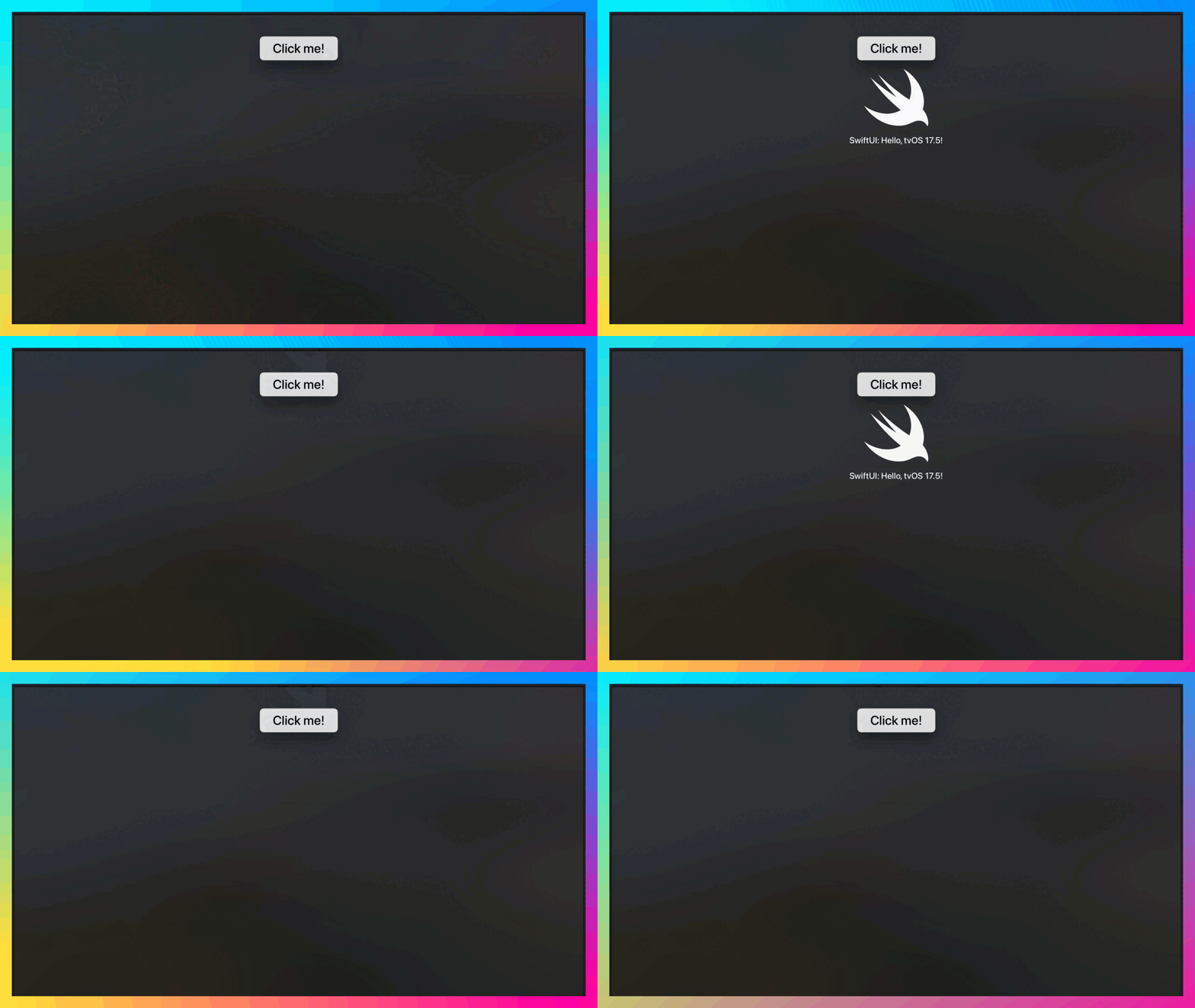
At a glance, the repository gives you:
- Cross-platform code sharing: write business logic once and share it across iOS, Android, and Apple TV.
- A simple setup: the project is structured so you can clone it and get a tvOS build running without hunting for missing wiring.
- A native TV UI over a shared core: the on-screen layer is written natively for tvOS and talks to the Kotlin framework, which is the realistic split today.
- A commit you can follow: the exact change that adds the KMP framework to the Xcode project is linked below, so you can reproduce it in your own app.
What can you actually share on tvOS?
This is the part that trips people up, so I want to be precise about it. Kotlin/Native compiles your shared module into an Apple framework, and tvOS is one of its supported targets (tvosArm64 for a device, tvosX64 and tvosSimulatorArm64 for the simulator). That means everything you would normally put in commonMain, such as networking, data models, parsing, validation, and business rules, compiles and runs on Apple TV the same way it does on iPhone.
What does not come along for free is the UI. Compose Multiplatform, which is the shared UI toolkit many KMP developers reach for on iOS, does not officially target tvOS as of 2026. Apple TV also has its own interaction model built around focus and the Siri Remote, which does not map cleanly onto a phone layout anyway. So the pragmatic architecture is the one this sample uses: keep the logic in Kotlin, and write the TV screens natively in SwiftUI or UIKit, calling into the generated framework. You share the expensive, testable part and leave the platform-specific part where it belongs.
Why would you use Kotlin Multiplatform for Apple TV?
If you already ship an iOS or Android app and you are adding a TV experience, KMP earns its place for a few concrete reasons:
- Code reusability: your networking, models, and business rules already exist in
commonMain. Adding a tvOS target reuses that work instead of reimplementing it in Swift. - Consistency: the TV app and the phone app resolve the same data the same way, which cuts down on the subtle discrepancies you get when two codebases drift apart.
- A smaller surface to test: the shared logic has one set of unit tests. The TV app only has to cover its own UI and navigation, not the domain rules underneath.
The honest counterpoint: if your TV app is trivial or has almost nothing in common with your mobile app, the framework wiring may cost more than it saves. KMP pays off when there is real shared logic to reuse.
How to set up KMP for Apple TV
Here are the steps to get the sample running end to end.
- Clone the repository:
git clone https://github.com/davthecodercom/KMP-for-AppleTV.git
cd KMP-for-AppleTV- Open the project in your preferred IDE (IntelliJ IDEA or Android Studio) so Gradle can sync the
sharedmodule and its tvOS target. - Set up the Apple TV environment: make sure you have Xcode installed, then open the
iosAppproject in Xcode and select the Apple TV target and a tvOS simulator (or a paired physical device). - Build and run: build the app in Xcode against an Apple TV simulator or device. The build compiles the Kotlin
sharedmodule into a framework and links it into the tvOS app, so your first run also verifies that the shared code compiles for tvOS.
What changes did I make to the Xcode project?
The only genuinely fiddly part of this whole exercise is teaching Xcode about the Kotlin framework, so I isolated that into a single commit. You can follow it to see exactly what needs to change to add KMP into an Xcode project for Apple TV:
https://github.com/davthecodercom/KMP-for-AppleTV/commit/897eaefa49da84d6de64b92e701bc5119f4ff929
Reading the diff is the fastest way to understand the integration, because it shows the build settings and the framework link in context rather than as prose you have to translate back into Xcode.
How is the code structured?
The repository is organised into the following modules:
- shared: the shared business logic and data models compiled into an Apple framework.
- iosApp: the Apple TV specific code and native UI.
/shared/src/commonMain/kotlincontains the shared code that every platform uses./shared/src/iosMain/kotlincontains the iOS-specific code./shared/src/tvosMain/kotlincontains the tvOS-specific code.
The tvosMain source set is the useful detail here. It is where you put anything that has to differ for the TV target while still being written in Kotlin, and it sits alongside iosMain rather than replacing it. Anything platform-neutral stays in commonMain and is picked up by all of them.
Contributing
I welcome contributions to the KMP-for-AppleTV project. If you have suggestions, bug fixes, or enhancements, please open an issue or submit a pull request. Feedback is what keeps the sample useful as the tooling changes.
Frequently Asked Questions
Does Kotlin Multiplatform officially support tvOS?
Yes, for the shared logic. Kotlin/Native provides tvOS targets (tvosArm64, tvosX64, and tvosSimulatorArm64), so your commonMain code compiles into an Apple framework you can link into a tvOS app. What it does not give you is a shared UI toolkit for tvOS.
Can I use Compose Multiplatform to build the Apple TV UI? Not as an officially supported path in 2026. Compose Multiplatform targets iOS but does not target tvOS, so the TV interface in this sample is written natively (SwiftUI or UIKit) and calls into the shared Kotlin framework. Given how different the TV focus and remote model is from a phone, a native UI layer is the sensible split anyway.
What code can I actually share between my phone app and my TV app?
Everything that lives in commonMain: networking, data models, parsing, validation, and business rules. The parts you keep separate are the platform UI and any interaction handling that is specific to the TV remote or focus engine.
Where does tvOS-specific Kotlin code go?
In the tvosMain source set, alongside iosMain. Shared, platform-neutral code stays in commonMain, and tvosMain is only for the pieces that genuinely need to differ on the TV target while staying in Kotlin.
Happy coding.
David Cruz davthecoder.com
Loading comments…