
I have built the same mobile app infrastructure more times than I can count. Auth flows, onboarding screens, paywall logic, settings pages. Every single SaaS project starts the same way, and every single time, I find myself writing nearly identical code from scratch.
After shipping Paglipat.com and working through the pain of standing up a full KMP stack for the first time, I realised something obvious: most of this work is not unique to any one product. The auth layer, the subscription handling, the secure token storage, the onboarding flow. It is all the same bones. The only thing that changes is the skin on top.
That realisation is what led me to build KMP SaaS Kit.
The problem is real and it costs you weeks
If you are building a SaaS mobile app today, you are going to need at least these things before you can even start working on your actual product:
-
Email/password authentication with forgot password
-
Social sign-in (Google on Android, Apple on iOS)
-
A multi-step onboarding flow
-
A paywall with in-app subscription support
-
A settings screen with account management
-
Secure token storage and encryption
-
Proper error handling and network resilience
None of this is your product. None of it differentiates you. But it still takes weeks to build properly, especially if you want it to work on both Android and iOS without maintaining two separate codebases.
And here is the thing that really got to me: getting this infrastructure wrong has real consequences. Bad token storage leads to security vulnerabilities. Poor error handling leads to crashes. Flaky network code leads to frustrated users. You cannot afford to cut corners on the foundation, but you also cannot afford to spend two months building it before you even get to the features your users actually care about.
What KMP SaaS Kit actually is
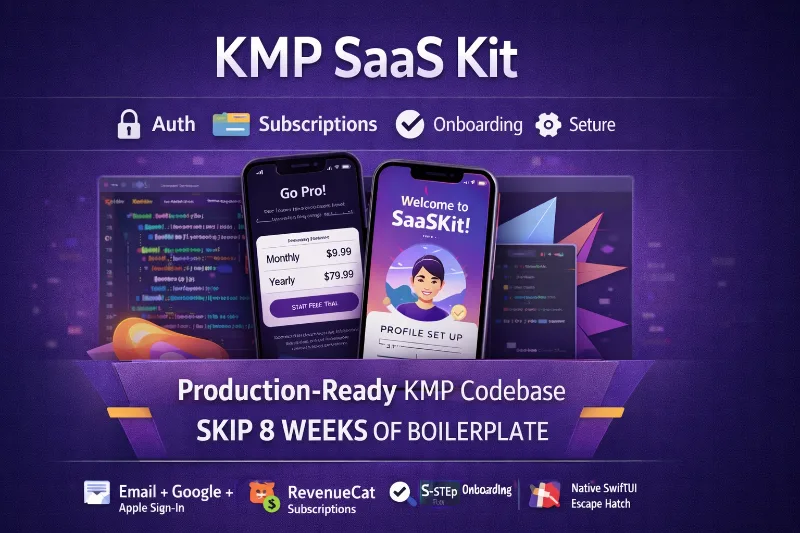
KMP SaaS Kit is a production-ready Kotlin Multiplatform starter kit. You clone it, configure your backend keys, and you have a fully functional Android and iOS app with all the infrastructure I just described. Not a prototype. Not a demo. A real, shippable foundation.
The shared Kotlin code compiles to both platforms using Compose Multiplatform for the UI layer. That means one codebase for your screens, your business logic, your networking, and your data layer. The only platform-specific code is the stuff that genuinely needs to be different, like the encryption implementation or the OAuth bridges.
Here is what you get out of the box:
Authentication that actually works
Full email/password auth with sign in, sign up, and forgot password. Google OAuth via Android Credential Manager. Apple Sign-In on iOS. All wired up to Supabase on the backend. The token lifecycle is handled automatically, with encrypted storage using Tink (AES-256-GCM) on Android and Keychain on iOS.
Onboarding that you can customize
A four-step onboarding flow: Welcome, Profile, Notifications, Paywall. Each step is a standalone composable that you can swap out, reorder, or extend. The progression state persists across app launches so users pick up where they left off.
Subscriptions through RevenueCat
In-app subscriptions are integrated via RevenueCat KMP. The paywall screen, entitlement checking, and subscription status are all wired up. There is also a local NoOpSubscriptionSource so you can develop and test without needing a live RevenueCat account.
Settings and account management
Account info display, subscription status, sign out, and delete account. The boring stuff that every app needs and nobody wants to build twice.
The architecture behind it
I did not want this to be a messy starter template that you have to refactor before you can use it. The architecture follows clean layered patterns that scale as your app grows.
UI Layer (Screens + ViewModels)
    ↓ StateFlow / SharedFlow
Domain Layer (Use Cases + Repositories)
    ↓ Either<DomainError, T>
Data Layer (RemoteSource + LocalSource)
    ↓
External APIs / Databases
A few decisions that I think matter:
Errors as values, not exceptions. The entire data flow uses Arrow-kt’s Either<DomainError, T>. When something fails, you get a typed error that you can pattern match on. No try-catch spaghetti. No mystery crashes from unhandled exceptions deep in the stack.
Pluggable feature modules. Each feature (auth, onboarding, home, paywall, settings) implements a Feature interface that declares its own Koin dependency module and navigation graph. Adding a new feature means creating one class that implements the interface and registering it. The rest wires itself up.
Network resilience baked in. The Ktor HTTP client uses Arrow Resilience for exponential-backoff retry (with jitter) and a circuit breaker pattern. Two retries before giving up, circuit opens after five failures in sixty seconds, resets after thirty. This is the kind of thing that is easy to skip during development but critical in production.
The tech stack and why each piece is there
Every dependency in the kit exists for a reason. I tried to pick the most mature, well-maintained option for each layer:
-
Kotlin 2.3.20 + Compose Multiplatform 1.10.3 for shared UI across Android and iOS
-
Ktor 3.4.2 for HTTP networking with platform-specific engines (OkHttp on Android, Darwin on iOS)
-
Supabase 3.5.0 for auth and Postgres backend
-
Room 2.8.4 for local SQLite persistence with KSP-generated DAOs
-
Arrow-kt 2.2.2.1 for functional error handling, optics for state management, and caching
-
Koin 4.2.0 for dependency injection
-
RevenueCat KMP 2.10.2 for in-app subscriptions
-
Tink 1.21.0 for AES-256-GCM encryption on Android
-
DataStore 1.2.1 for async preferences storage
The theming system uses Material 3 with everything configurable through four files: colors, typography, spacing, and shapes. Fonts (Outfit and DM Sans) are bundled as TTF files so there are no runtime font loading issues.
Security was not an afterthought
One of the biggest risks with starter templates is that security gets treated as something you will “add later.” I built KMP SaaS Kit with the assumption that your app will handle real user data from day one.
On Android, auth tokens are encrypted using Google Tink with AES-256-GCM. The keyset is stored in Android Keystore via AndroidKeysetManager, which means the encryption keys themselves are hardware-backed on devices that support it.
On iOS, tokens go straight into Keychain Services via Kotlin/Native interop. No third-party crypto library needed. The platform provides the secure storage, and we use it directly.
API keys and secrets are injected at compile time through BuildKonfig, reading from a git-ignored local.properties file. Credentials never appear in source control. This is basic stuff, but I have seen too many starter projects ship with hardcoded keys in the repository.
What I learned building this
Building the kit taught me a lot about what “production-ready” actually means for a cross-platform project. A few things that surprised me:
The expect/actual pattern is powerful but you need discipline. It is tempting to use it everywhere, but it works best for genuine platform differences like encryption, HTTP engines, and OAuth bridges. For business logic, interfaces with DI-provided implementations are more testable and easier to reason about.
iOS interop is smoother than you think. Compose Multiplatform for iOS has matured significantly. The SwiftUI entry point is minimal, and most of your development happens in shared Kotlin code. The days of wrestling with Kotlin/Native memory models are behind us.
Error handling decisions compound. Choosing Either over exceptions at the data layer meant that every screen in the app has typed error states. It was more work upfront, but the result is that no screen ever shows a generic “something went wrong” message. Every failure has a specific, actionable response.
Who this is for
KMP SaaS Kit is for developers who want to ship a SaaS mobile app without spending the first two months on infrastructure. If you know Kotlin and you are building something that needs auth, subscriptions, and a clean architecture to grow into, this gives you a massive head start.
It is also for teams that have been burned by cross-platform frameworks before. This is not React Native or Flutter. The shared code is Kotlin, the architecture is clean, and the platform-specific parts use the actual platform APIs. No bridge. No runtime. Just compiled code.
You can get the full source code here:
https://products.vectencia.com/l/KMP-SaaS-Kit
Happy coding!
David Cruz
davthecoder.com
Loading comments…